
Wi-Fi Optimization in Vienna
- Mesh Wi-Fi Setup (Fritzbox, TP-Link Deco, Eero)
- Dead Zone Elimination
- Network Cable Installation (LAN Cable)
Over 100 successful installations in Vienna
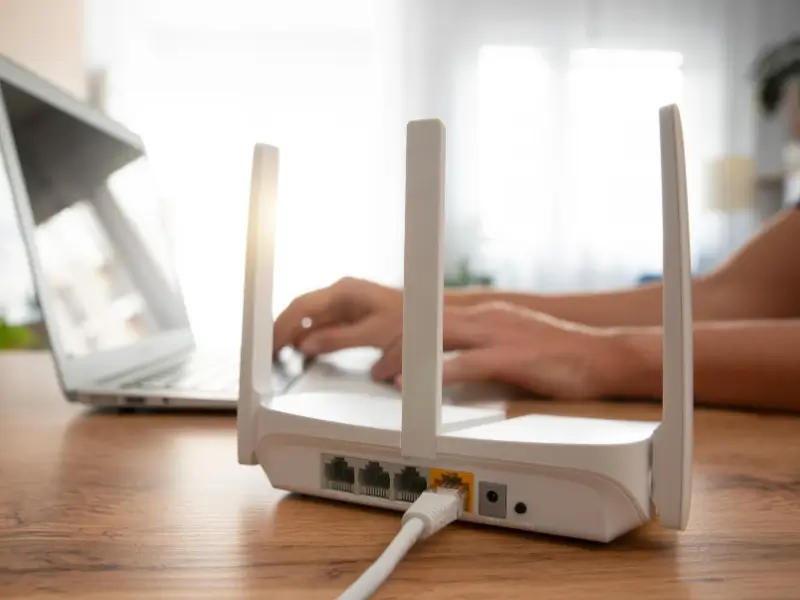
What's included
- Wi-Fi analysis: locate dead zones and signal weaknesses before changing anything.
- Mesh network setup: TP-Link Deco, Eero, Fritzbox WLAN Mesh, UniFi.
- LAN cable installation for wired backhaul and stable connections.
- Fritzbox and router configuration: channels, frequency bands, QoS.
Pricing Overview
Indicative prices, not a binding offer. Final price after free consultation.
| Service | Price |
|---|---|
| Wi-Fi diagnosis & Fritzbox optimisation | from €79 |
| Mesh system setup (hardware not included, up to 3 nodes) | from €99 |
| LAN cable installation (per run up to 10m) | from €59 |
| UniFi system setup (2 access points) | from €149 |
| Complete package: mesh + LAN cabling + configuration | from €199 |
| Hourly rate | from €45/h |
Discuss a project or book an appointment.
A photo is enough. Quote usually within an hour.
How It Works
Diagnosis
Brief description: floor plan, wall types, where Wi-Fi is poor, which devices you use. We recommend the solution and confirm a fixed price.
Setup & Cabling
Place mesh nodes, route LAN cables where needed, configure systems, connect devices, and test connection quality in every room.
Test & Handover
Speed test in all rooms, connection quality verified, router and mesh app explained. You receive clear settings recommendations going forward.
We solve Wi-Fi problems in Vienna apartments and houses. No signal in the bathroom, slow internet in the home office, constant disconnections. We diagnose the cause and set up the right solution.
Poor Wi-Fi in Vienna's Altbau apartments is not a coincidence. Brick walls 40 to 60 cm thick attenuate the 5 GHz signal significantly over short distances. If the router is in the living room and the home office is two brick walls away, the signal is often barely usable. This can be fixed, but not always with a simple repeater.
Mesh Wi-Fi Setup Vienna: the Difference from a Repeater
A standard Wi-Fi repeater amplifies the existing signal but halves the available bandwidth because it receives and transmits on the same frequency. In practice: the repeater shows a good signal indicator, but actual speed remains low.
A mesh system works differently. Multiple access points (nodes) communicate with each other over a dedicated backhaul channel, either wirelessly on a third frequency band (tri-band mesh) or via LAN cable (wired backhaul). Devices connect automatically to the nearest node. The result is full signal in every room with no bandwidth penalty.
We set up mesh systems from all major manufacturers: TP-Link Deco, Amazon Eero, Fritzbox WLAN Mesh, Netgear Orbi, and professional UniFi systems.
LAN Cable Installation Vienna: Stable Backhaul for Mesh Systems
The fastest and most reliable backhaul for a mesh system is a LAN cable between nodes. This completely eliminates the bandwidth problem of wireless mesh systems. We run network cables (CAT6 or CAT6a) in cable channels along the wall or, where underfloor voids or suspended ceilings allow, concealed inside the structure.
A wired connection is also superior to Wi-Fi for home cinema, gaming PCs, NAS systems and smart TVs. We route cables to minimise visual impact.
Fritzbox Configuration and Optimisation
A Fritzbox works out of the box but is not configured for optimal performance. Channel selection, frequency band assignment, Wi-Fi schedule, guest network, VPN setup and QoS (Quality of Service for streaming and video calls) can all be tuned in the Fritzbox interface. We configure this for you.
Why Altbau Walls Kill Wi-Fi and What Actually Fixes It
Altbau brick has a density and moisture content that attenuates radio waves far more than modern plasterboard or lightweight partition walls. The 5 GHz band, used for fast Wi-Fi connections, typically loses 15 to 20 dB of signal strength through a 40 cm brick wall. That reduces usable signal to a fraction of the original level. Behind two such walls, the signal is too weak for stable connections on most devices.
The 2.4 GHz band penetrates better but has a lower maximum data rate and is heavily congested in dense urban areas like Vienna, with neighbouring Wi-Fi networks, Bluetooth and microwave ovens all competing on the same frequencies. The effective solution is one mesh node per "zone" separated by Altbau walls, connected by LAN cable (ideal) or tri-band mesh wireless backhaul (good).
Measure Wi-Fi signal strength in every room with a free app like WiFi Analyzer (Android) or Network Analyzer (iOS) before investing in new hardware. The problem is often the router's channel selection or placement, not the hardware itself.
Wi-Fi Technology: What the Differences Mean in Practice
WiFi 5 vs. WiFi 6 vs. WiFi 6E
In Vienna's Altbau buildings, WiFi 6E on the 6 GHz band offers little advantage because the signal barely penetrates thick brick walls. WiFi 6 on 5 GHz is the better choice for most scenarios.
Wired vs. Wireless Backhaul in Mesh Systems
Wired backhaul is always the first choice in Altbau buildings with poor Wi-Fi penetration. Performance is predictable and unaffected by wall attenuation.
Important Safety Notes
No cable routing in conduits alongside mains wiring without electrician review
Pulling network cables through existing conduits that run alongside mains power cables requires review and appropriate shielding. We route LAN cables exclusively in dedicated cable channels or in conduits reserved solely for data cables.
FAQs
Why is my Wi-Fi so poor in a Vienna Altbau apartment?▾
Altbau brick walls 40 to 60 cm thick attenuate the 5 GHz band significantly. The 2.4 GHz band penetrates better but is slower and heavily congested in urban Vienna with neighbouring Wi-Fi networks and Bluetooth devices. The combination makes Altbau Wi-Fi a challenge that requires a targeted solution.
Do I need a mesh system or will a repeater do?▾
A repeater is sufficient if you have one small area with weak signal and no high-speed requirements. For home office, 4K streaming or gaming, a mesh system is the better choice. A tri-band mesh with wireless backhaul or a mesh with wired LAN backhaul outperforms a repeater significantly in both speed and stability.
How much does Wi-Fi optimization cost in Vienna?▾
A diagnostic and configuration appointment for existing equipment starts from €79. Mesh system setup (hardware not included) from €99. LAN cable installation from €59 depending on scope. A fixed price is confirmed after a brief description of your situation.
Which mesh system do you recommend for Vienna apartments?▾
For apartments up to around 100 m², a two-node system is often sufficient. TP-Link Deco XE75 and Amazon Eero Pro 6E are solid all-rounders with WiFi 6E. For larger apartments or houses, we recommend UniFi (professional, centrally managed) or Fritzbox Mesh (seamless integration with an existing Fritzbox). We advise based on your specific floor plan.
Can I use Powerline adapters instead of LAN cable?▾
Powerline adapters transmit data over the mains wiring. This works reliably when all sockets are on the same electrical circuit. In Altbau buildings with multiple circuit groups or old wiring, performance is unpredictable. LAN cable is more reliable. We recommend Powerline only where cable routing is genuinely not possible.
Do you set up UniFi systems?▾
Yes. Ubiquiti UniFi systems are professional-grade access points managed centrally via app or controller. Ideal for larger apartments, offices or multi-family buildings. We install access points, set up the UniFi Network Controller, and configure SSIDs, VLANs and guest networks.
How long does Wi-Fi optimization take?▾
Fritzbox configuration and simple mesh setup: 60 to 90 minutes. LAN cable routing depending on distance and wall type: 1 to 3 hours. UniFi system with multiple access points: 2 to 4 hours. We give a realistic time estimate upfront.
Service Area
We solve Wi-Fi problems caused by thick Altbau walls across all of Vienna. We are especially active in Altbau-heavy districts known for Wi-Fi challenges: Josefstadt (1080), Alsergrund (1090), Leopoldstadt (1020) and Hernals (1170). We also work regularly in larger newer apartment complexes in Donaustadt (1220) and Floridsdorf (1210).
Discuss a project or book an appointment.
A photo is enough. Quote usually within an hour.